







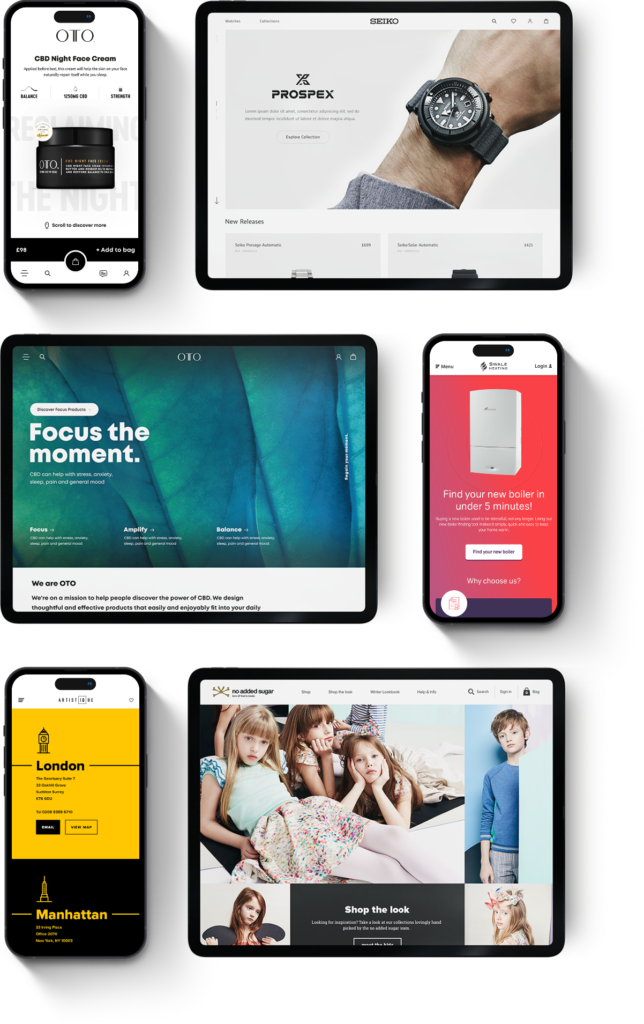
How do you set up an e-commerce site for success? You start by understanding your customers. From market research to sales funnel analysis, we help set your store up for long-term success. Grow your conversions and maximise repeat-purchases by letting us pick apart the psychology of your customers.
Design 
Humans love pretty things. That’s why we’re committed to making appealing brands that are easy on the eyes. Let our team build an e-commerce site for your brand that prioritises UX, incredible aesthetics and high conversion rates. We make sure every element of your brand, from your product pages to your ads fits together visually, to hook your target audience and ensure a high turnover rate.
Build
Strong fortresses are built with strong bricks. In other words, we develop your e-commerce brand from the ground up, making sure each element performs its function and delivers consistent results. From setting up your store with Shopify or Magento to building out eye-catching product pages and integrating your site with paid ads, our team will ensure every technical and marketing nut and bolt is screwed on tight.
Grow
Creating something awesome is one thing - making sure it grows in performance over time is a different story. We use data to improve your store and the marketing behind it - delivering fantastic, tangible results year on year. Whether you’re looking to increase average order value, score more repeat purchases or maximise your return on investment for paid ads, our team can handle the technicals - taking your e-commerce site to new levels.
Let's get started



eCommerce Growth For Chemicals Company
